Foreword
Most cookbooks are written for everybody. This one is written for you. Tell MealPartner who is at your table, what you can’t eat, what is in your kitchen, and how sure you feel at the stove. It takes it from there: it finds the recipe, plans the week, writes the shopping list, and stays beside you while you cook. Think of it as a chef in your pocket who also remembers what’s in your fridge.
Your partner in the kitchen
Frontispiece
Home
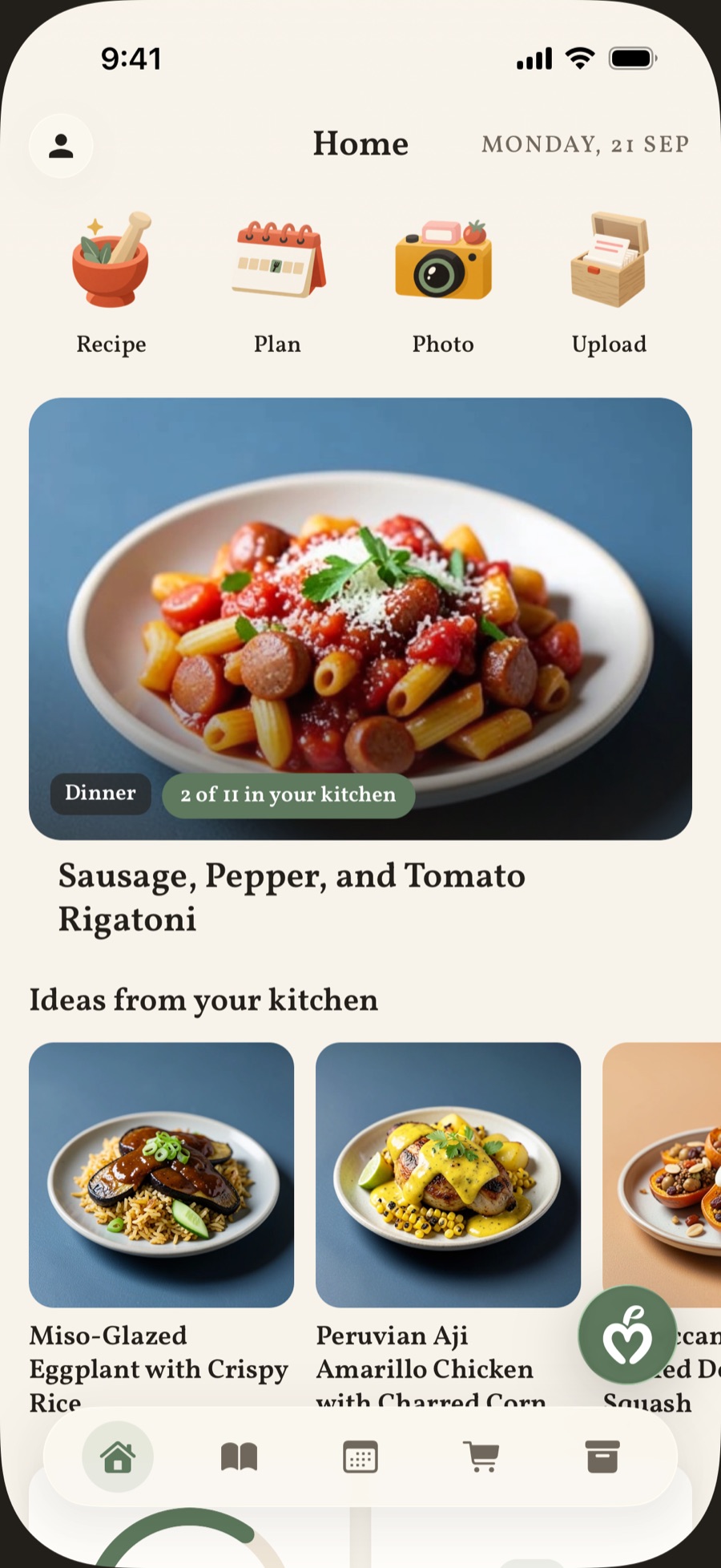
Home tab in the evening. Greeting and date, the four doors (Recipe, Plan, Photo, Upload), the “Tonight” photo tile, and the first row of “Ideas from your kitchen”.
screens/raw/home.png

Chapter One
What’s for dinner?
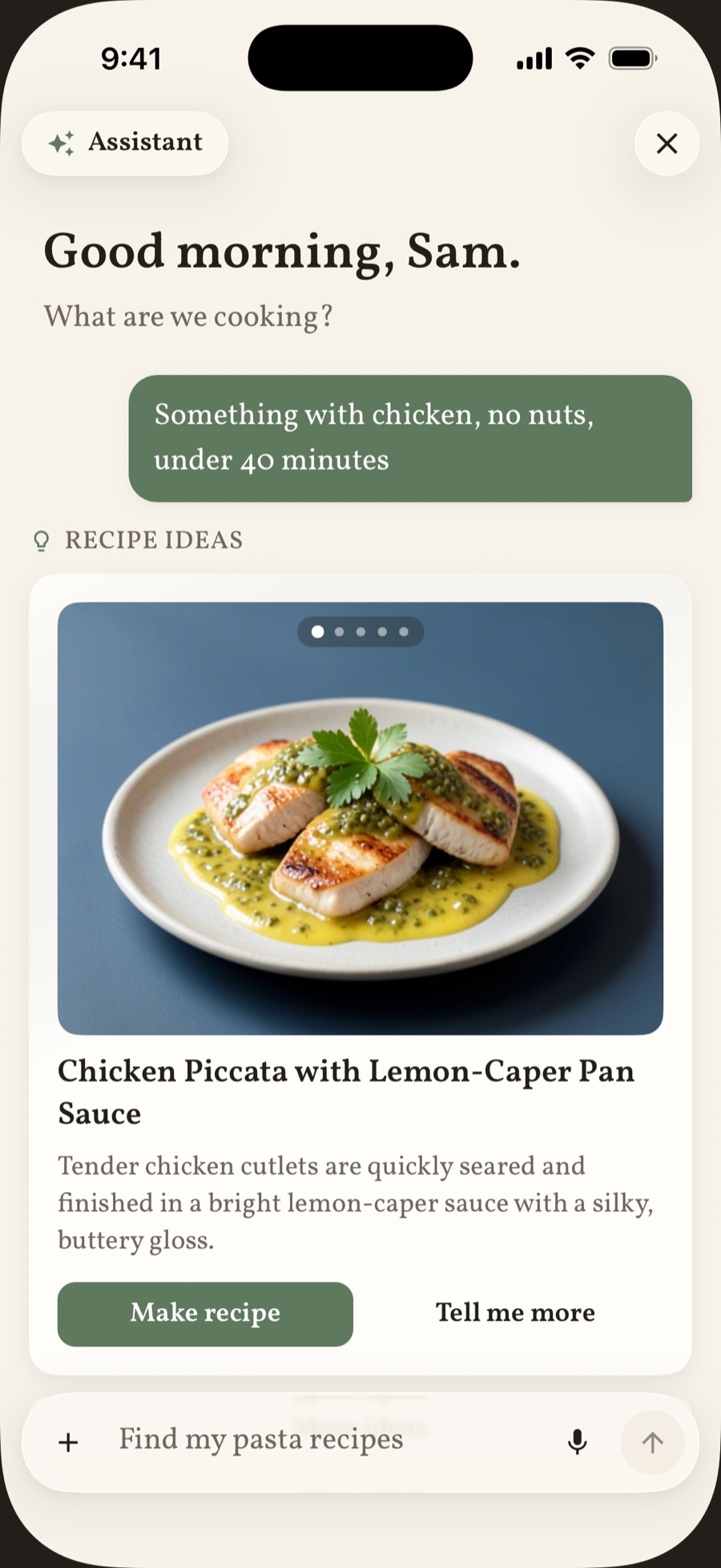
Ask the way you would ask a friend who cooks. “Something with chicken, no nuts, under forty minutes.” A handful of ideas come back, each one built around your diet, your allergies, and the equipment you own.
- Serves
- whoever is at your table
- Time
- about a minute
You bring
- A craving, or no idea at all
- Your diet and allergies, set once
- The equipment you own
- Your voice, if your hands are full
it never forgets the peanut thing
Method
- Type or say what you feel like eating.
- Flip through the ideas and tap the one that looks good.
- The full recipe arrives with ingredients, steps, and nutrition. Save it for later, for today, or for a day you pick.
Plate I
Ask the cook
Create tab (AI cook chat). One request bubble, for example “Something with chicken, no nuts, under 40 minutes”, and the recipe ideas pager below it with a photo card in front and its “Make recipe” button.
screens/raw/chat.png

Chapter Two
The week ahead
Sunday-night planning, done in the time it takes the kettle to boil. Say how many days, how many people, and how hard you want to work. Keep the ideas you like and the week fills itself in.
- Serves
- 1 to 10 people
- Makes
- up to a week of meals
- Time
- under a minute
You bring
- How many days, and how many people
- Portions: Small, Normal, Medium, or Large
- Your skill: Easy, Medium, or Hard
- Breakfast, lunch, dinner, or all three
- A budget, leftovers to use up, a cuisine you miss. Say it in your own words.
Method
- Set your options: how many dinners, how many people, portions, and skill.
- Tap Get ideas. Ten meal ideas come back. Keep the ones you like, or ask for ten more.
- The plan lands on your calendar with every recipe written and its shopping list ready for the cart.
- When life happens, move a meal, skip a day, or push the whole week forward by one.
Plate II
Start options
Plan builder, “Start options” sheet. Rows for Schedule, People, Portion size, Cooking skill, and Meal type, with the sage “Get ideas” button in view.
screens/raw/plan-options.png
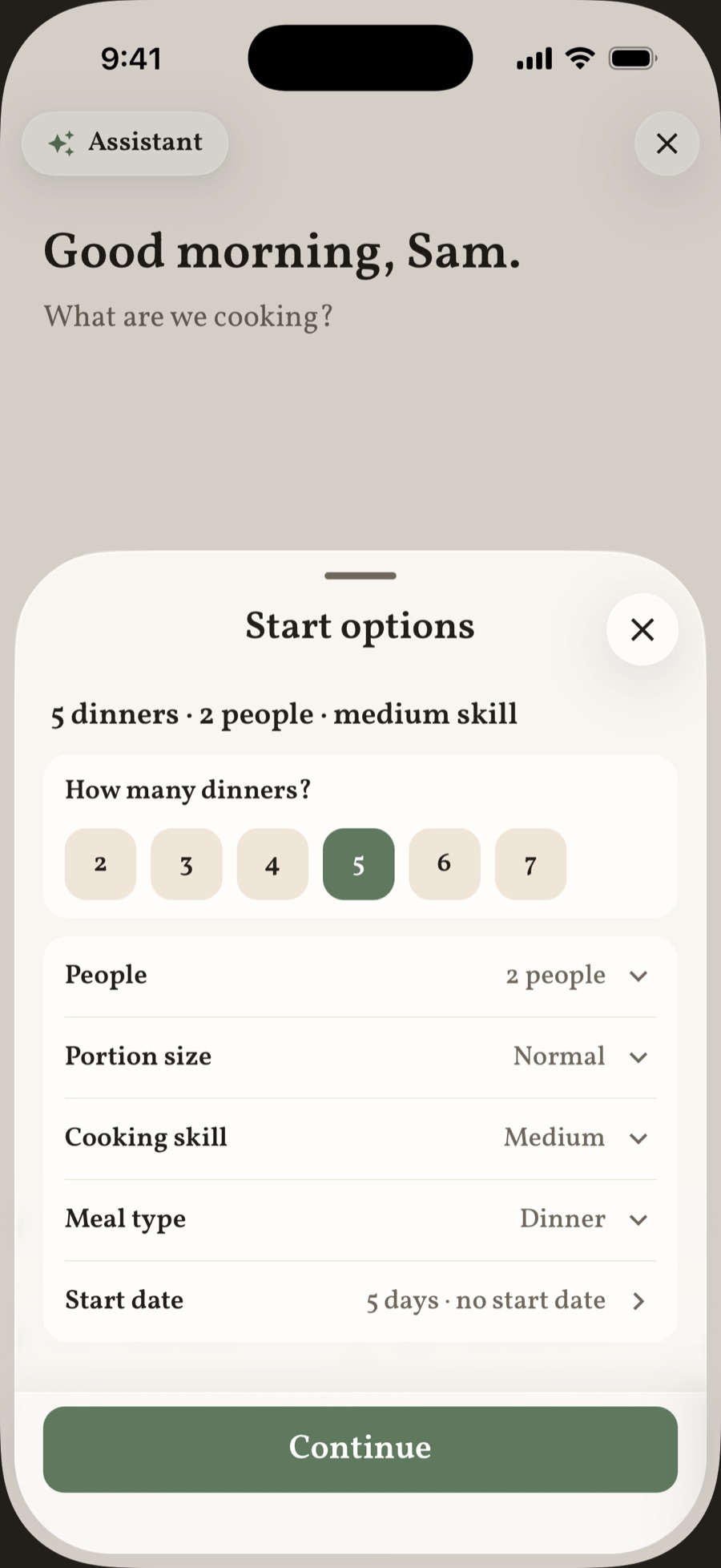
Plate III
The plan, ready
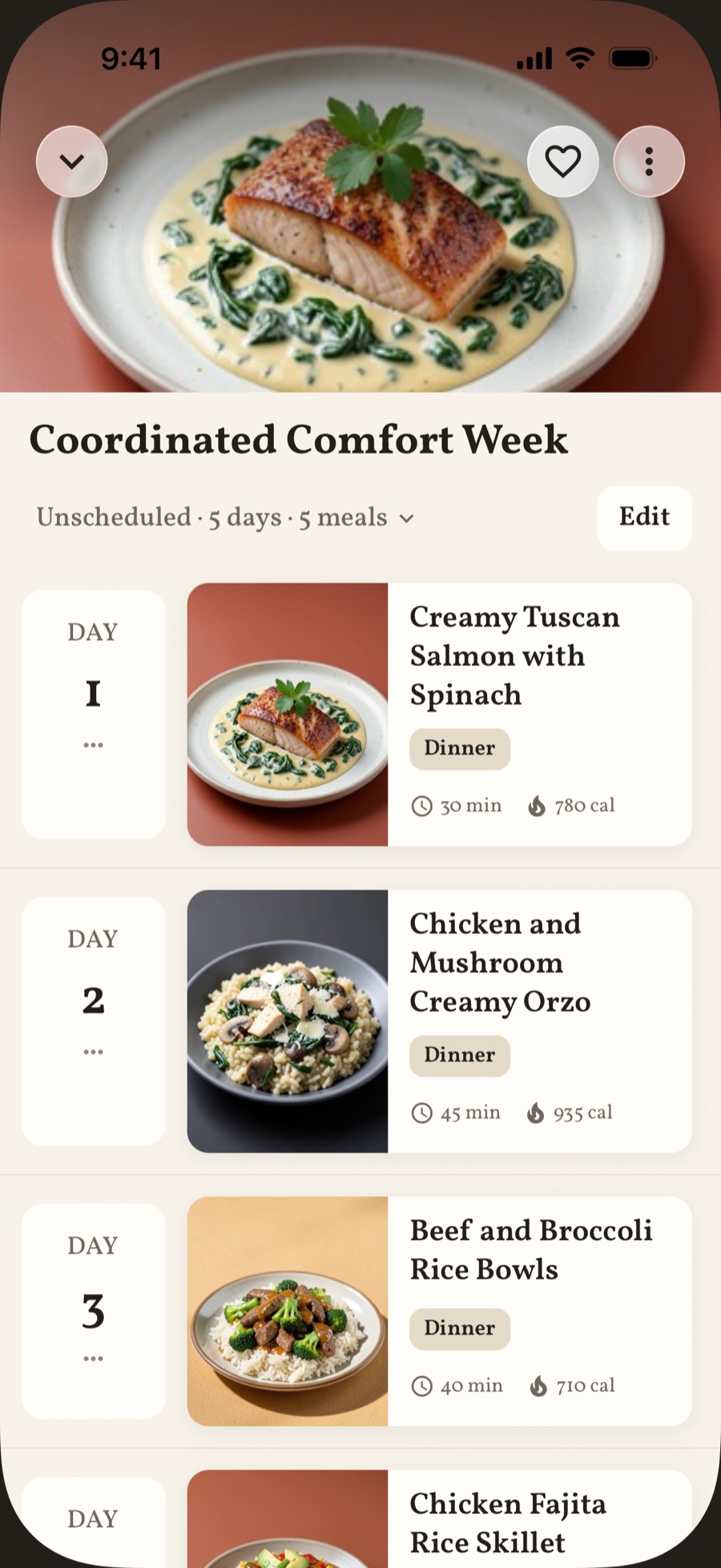
A finished meal plan sheet. Hero photo, plan title, and the Day 1 to Day 3 rows, each with a photo, the time, and the calories.
screens/raw/plan.png
Chapter Three
The shop & the kitchen
MealPartner keeps two lists so you don’t have to: what you need to buy, and what you already have. Each one updates the other. Nothing goes to waste.
- Serves
- the whole household
- Saves
- a second trip to the shop
You bring
- A plan, or a few recipes
- A photo of your groceries, or the receipt
- Whatever is already on your shelves
“Pantry only” = no trip to the shop
Method
- Add recipes or a whole plan to the cart. It sorts itself by aisle.
- Check things off as you shop. One tap moves them into your kitchen.
- Cooking a recipe uses its ingredients up. Anything close to expiring gets flagged, so you cook it first.
- Short on ideas? Pick a few things you have and ask what they could become.
Plate IV
Your kitchen
Kitchen tab. Groups for Produce, Protein, and Pantry with real items, and at least one item flagged in terracotta as expiring soon.
screens/raw/kitchen.png
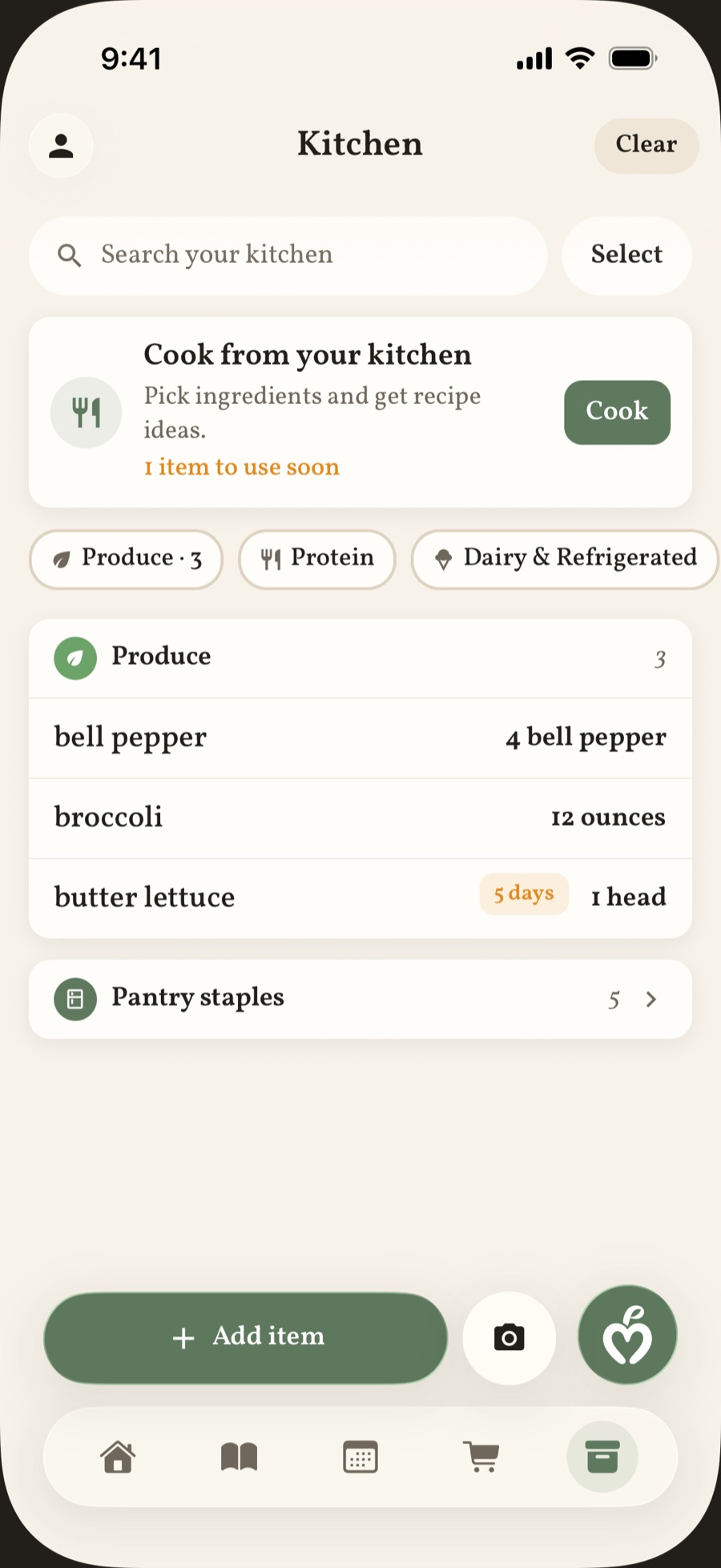
Plate V
The cart
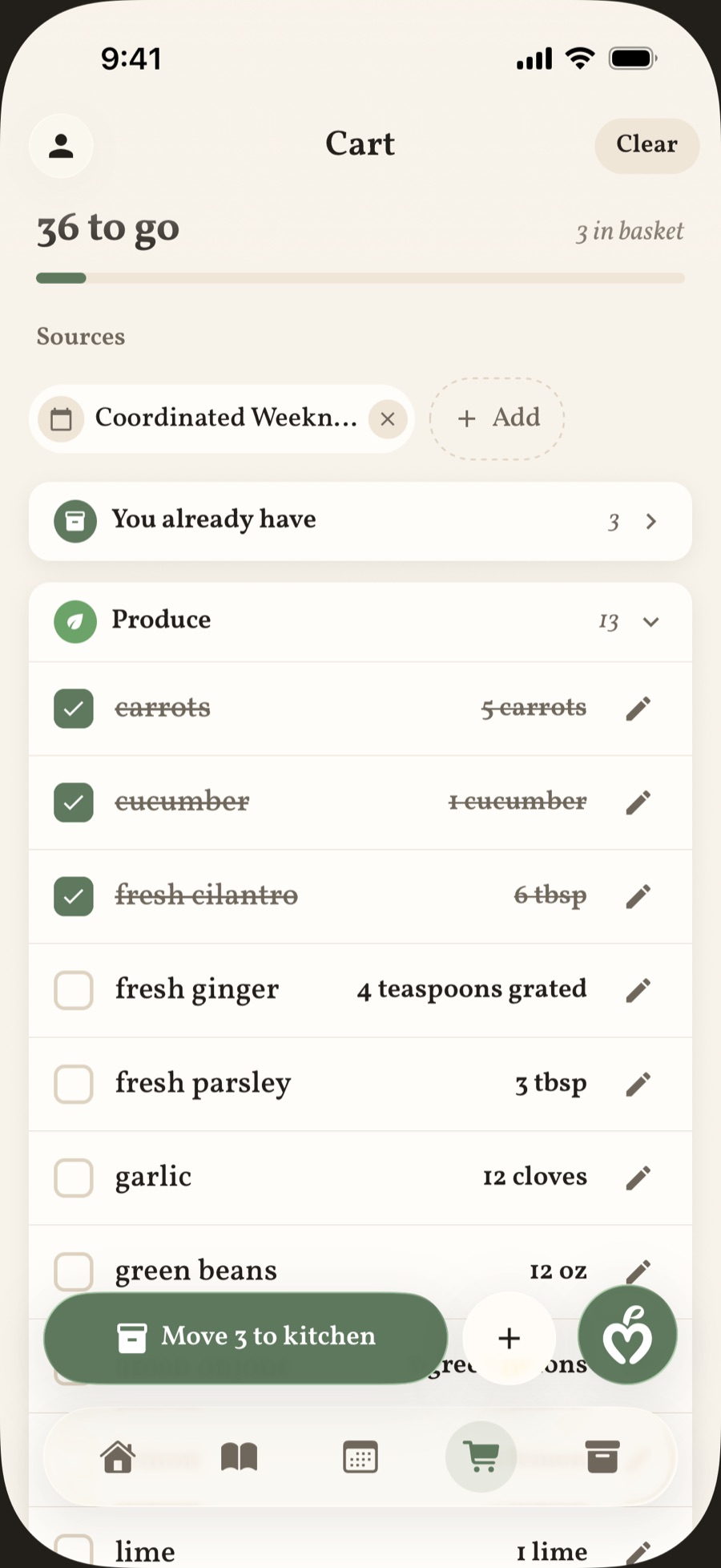
Cart tab. The “to go” and “in basket” counts, aisle groups such as Produce and Protein, three rows checked, and the sage “Move 3 to kitchen” button.
screens/raw/cart.png
Chapter Four
At the stove
One step on the screen at a time, in type you can read from across the counter. Stuck? Ask. The assistant knows which step you are on.
- Serves
- as many as you scale it to
- Units
- original, imperial, or metric
You bring
- Any recipe in your cookbook
- Reasonably clean hands
- Questions, as they come up
yes, you can ask if the chicken is done
Method
- Set the servings and the units. Every amount follows.
- Tap Cook Step-by-Step. Each step shows only the ingredients it needs.
- Ask about the step in front of you: “Is it done?”, “Need a swap”, “Fix a problem”.
- Finish the last step, and the meal is marked as cooked on your plan.
Want it vegetarian, spicier, or quicker? Ask the recipe’s assistant, then keep the new version or update the original.
Plate VI
The recipe page
A recipe sheet at full height, scrolled to the top. Large photo, title, time · servings · difficulty, the rating stars, the nutrition tiles, and the start of the ingredients.
screens/raw/recipe.png
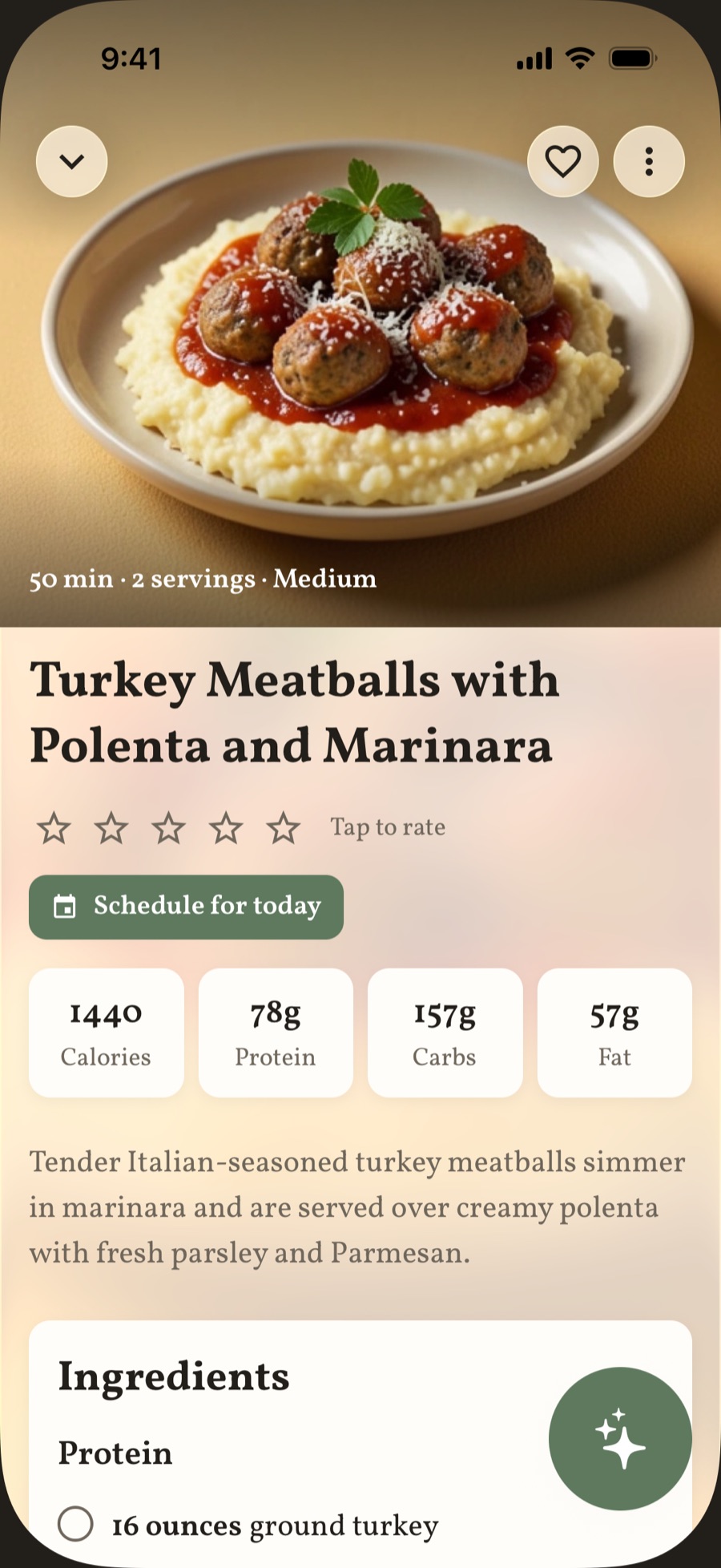
Plate VII
Cooking mode
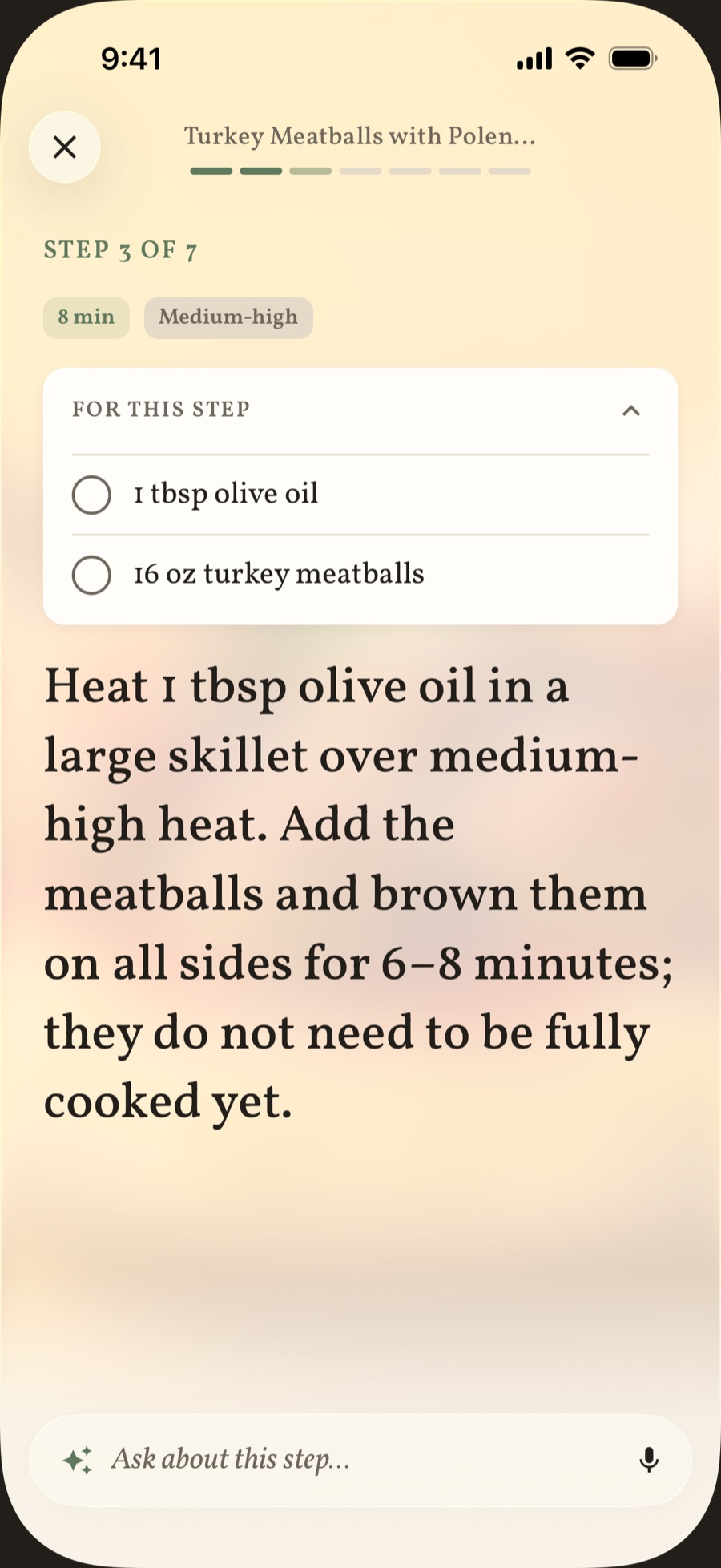
Cooking mode on a middle step. The step label, the time and heat chips, the open “For this step” card, the step text, and the “Ask about this step…” composer.
screens/raw/cooking.png


Chapter Five
Your cookbook
Every recipe you love, in one place, for good. The reel you saved last night, the page from your mother’s cookbook, the card in your grandmother’s handwriting.
- Keeps
- on your phone, for good
- Works
- offline
You bring
- A link from Instagram, TikTok, YouTube, Facebook, or any recipe site
- A photo of a cookbook page or a handwritten card
- A photo of a finished plate
- The recipes you made with the AI cook
Method
- Share the link to MealPartner, or paste it in.
- If the creator left out the steps, tap Fill in with AI.
- File it. Make categories by hand, or smart ones that fill themselves by cuisine, time, or main ingredient.
- Search finds it again, even when you only half remember the name.
Plate VIII
The cookbook
Cookbook tab. The “This week” plan card, the “Your library” doors, the category folder tiles, and the first row of recipe photo tiles.
screens/raw/cookbook.png
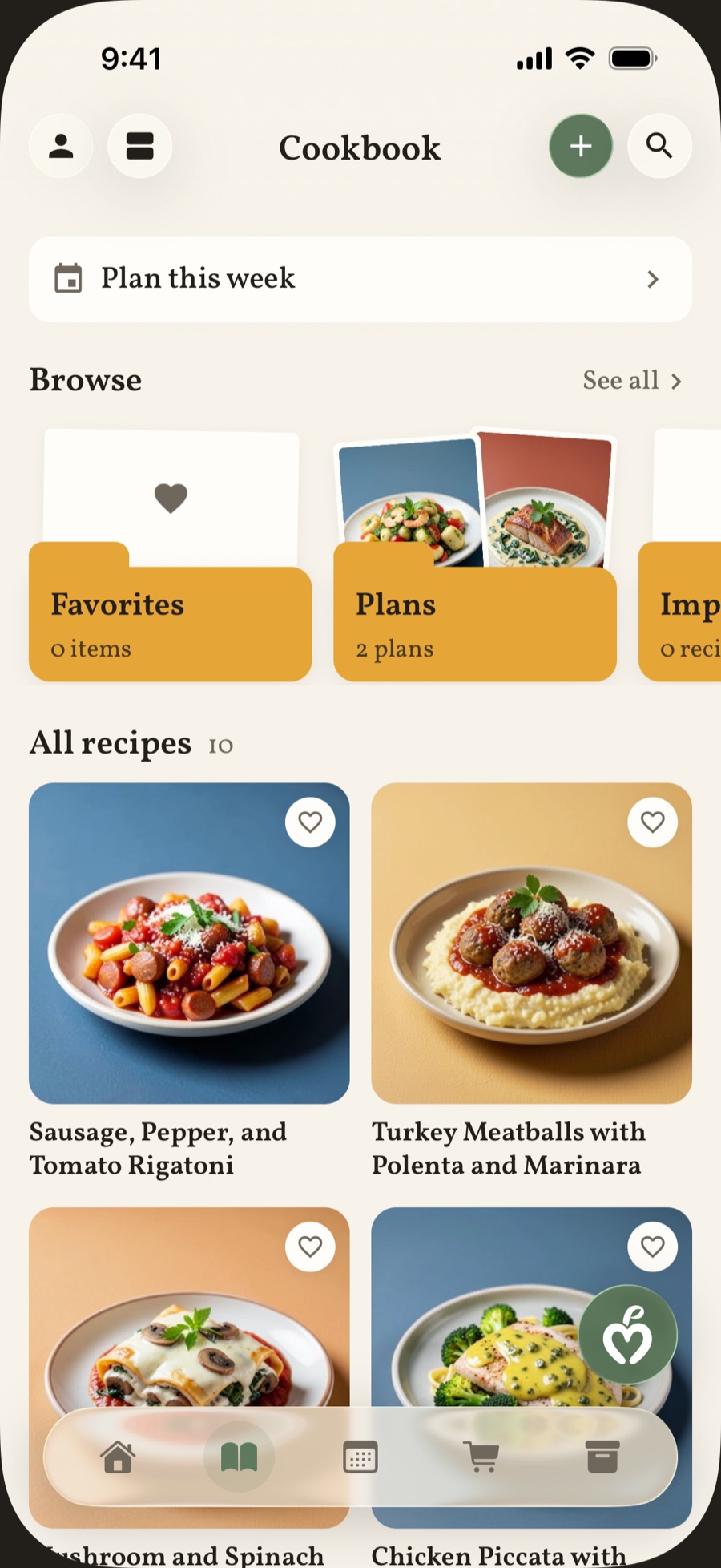
Plate IX
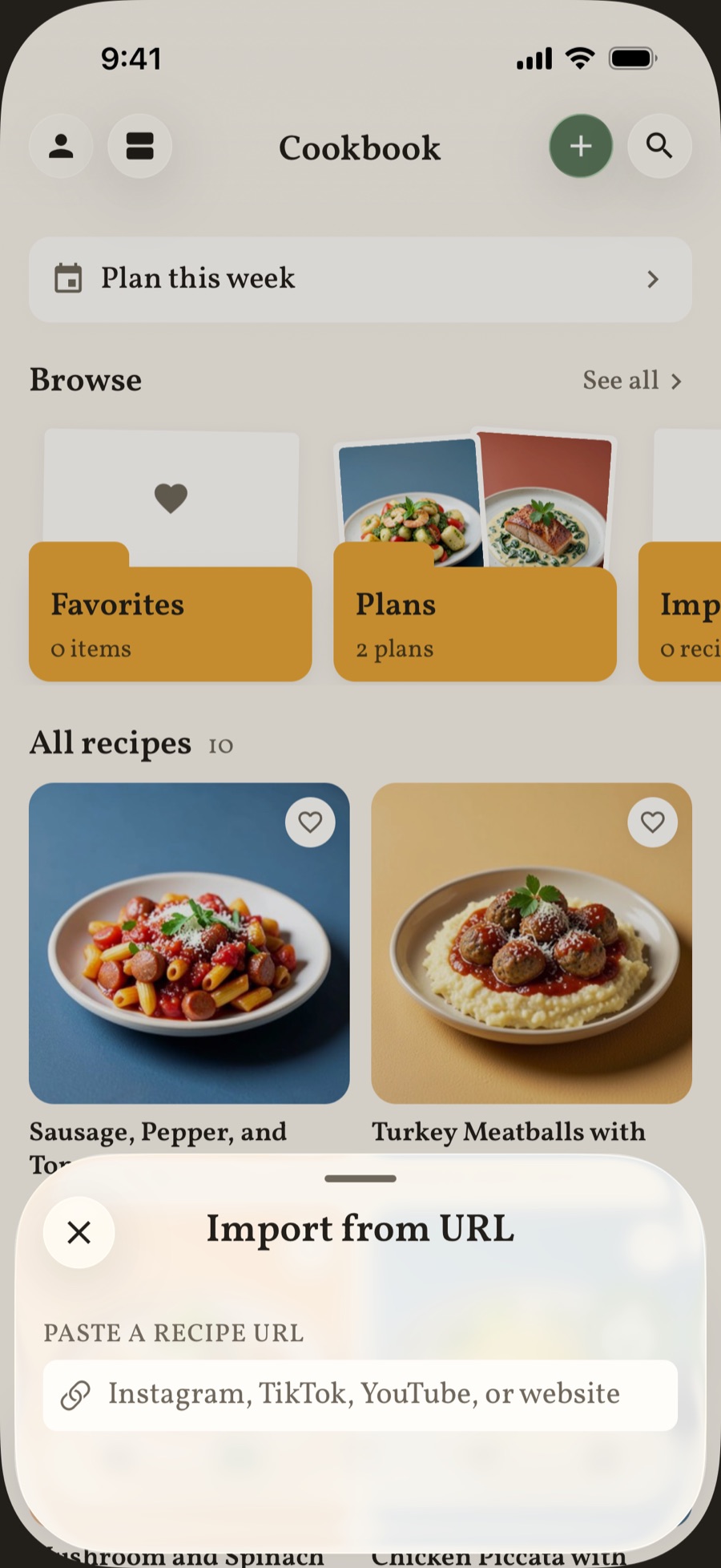
Import from a link
Cookbook tab with the “Import from URL” sheet open. The link field names Instagram, TikTok, YouTube, or website.
screens/raw/import.png
Chapter Six
The day on a plate
Describe what you ate, or take a picture of it. MealPartner estimates the calories and the macros, and keeps count of the day for you.
- Takes
- a sentence or a photo
- Shows
- the day, week, month, and year
You bring
- A few words, or a photo of the plate
- How much of it you ate
- Goals, if you have them
Method
- Describe the meal or photograph it.
- Check the estimate, set your portion, and log it.
- See today against your goals, and the week, month, or year behind it.
Plate X
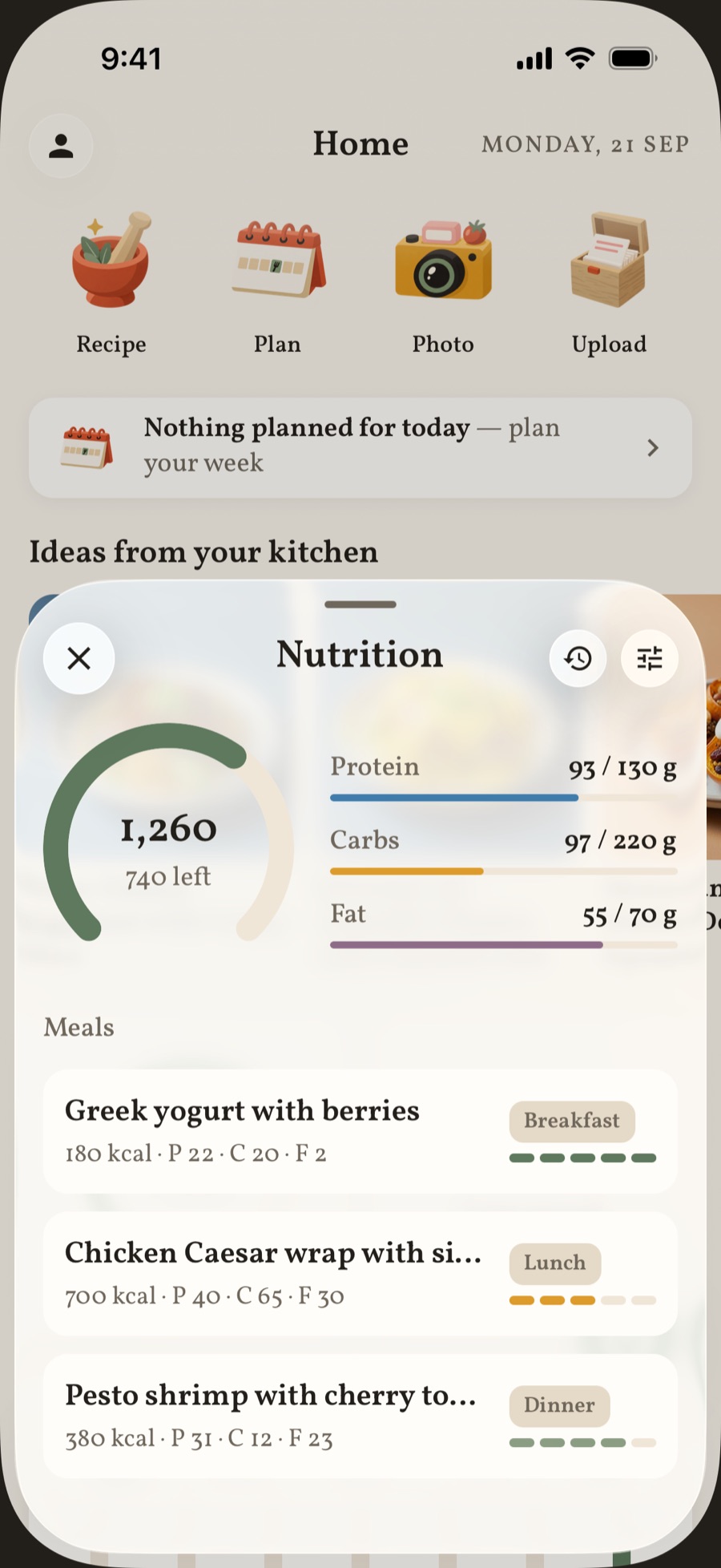
The day’s nutrition
Daily nutrition view. The calorie ring part filled, the macro lines for protein, carbs, and fat, and two or three logged meal rows.
screens/raw/nutrition.png
Recipe cards
A few nights we had in mind
Six ordinary evenings, and how MealPartner handles each one.
-
Recipe for
The six o’clock fridge stare
Pick what you have: chicken thighs, rice, a lime. Choose Pantry only. You get dinners that use those and nothing else.
Serves anyone too tired to shop
-
Recipe for
A table of five
Set people to five and portions to Large. The plan, every recipe, and the shopping list scale together.
Serves five, with seconds
-
Recipe for
The tight month
Tell the planner your budget in your own words. It builds the week around it and reuses ingredients across meals, so less gets thrown out.
Serves your grocery bill
-
Recipe for
The nut allergy
Add it to your profile once. From then on, ideas, recipes, and weekly plans leave it out.
Serves everyone at the table
-
Recipe for
The first real dinner
Set your skill to Easy. Cook one step at a time, and ask “Is it done?” whenever you are unsure.
Serves a brand-new cook
-
Recipe for
Grandma’s handwriting
Photograph the card. It becomes a recipe you can scale, switch to metric, and cook step by step.
Serves the family, for good
Kitchen notes
Fair questions
The things people ask before they let a new cook into the kitchen.
What does it cost?
MealPartner is free to download, and every new cook gets 14 days of Premium. After that you can stay on the Free plan, or subscribe by the month or the year. Cancel anytime.
Do I need to be a good cook?
No. Set your skill to Easy and the recipes stay simple. In cooking mode you see one step at a time, and you can ask about the step you are on.
Can it handle allergies and diets?
Yes. List them once in your profile, and every idea, recipe, and plan works around them. AI can still make mistakes, so read the labels when an allergy is serious.
Does it work without a signal?
Your recipes, plans, cart, and kitchen are stored on your phone and work offline. Asking the AI cook needs a connection.
Can I bring the recipes I already have?
Yes. Share a link from Instagram, TikTok, YouTube, Facebook, or any recipe site, or photograph a cookbook page or a handwritten card. Each one becomes a full recipe in your cookbook.